
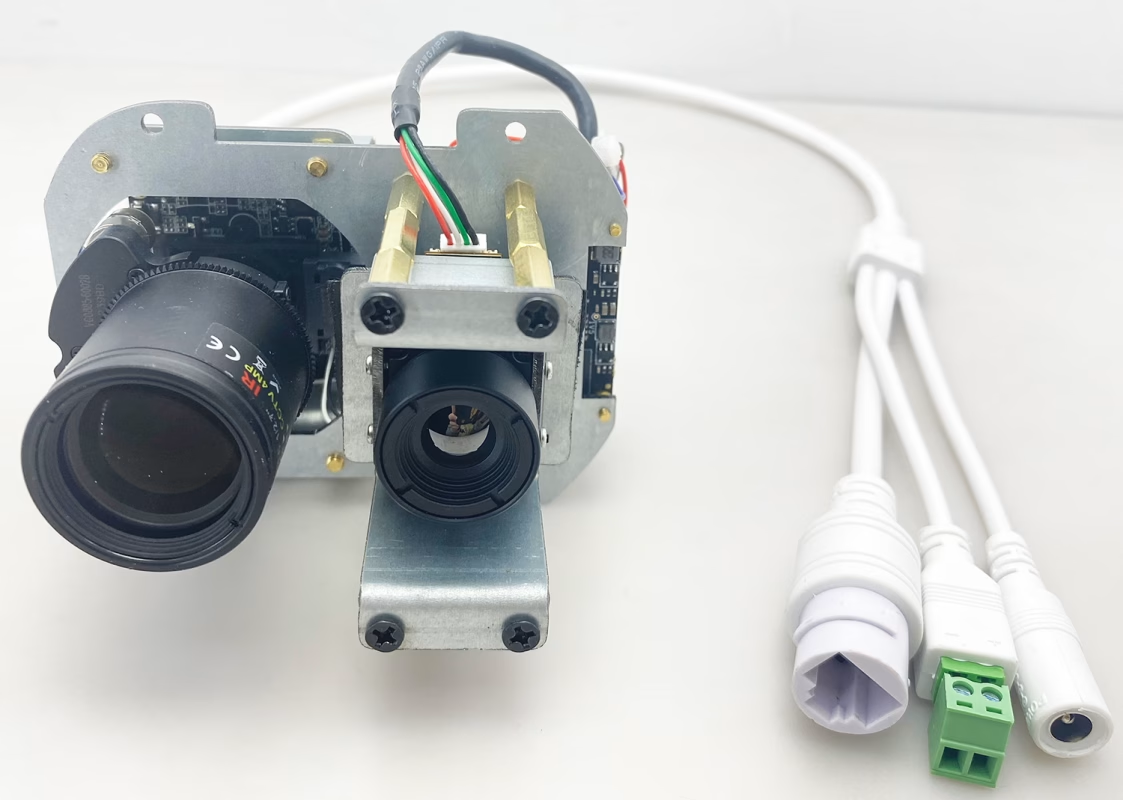
A customer has a daylight and thermal imaging camera. He disassembled it himself, but couldn’t put it back together and could no longer find the RTSP video stream. What should he do?
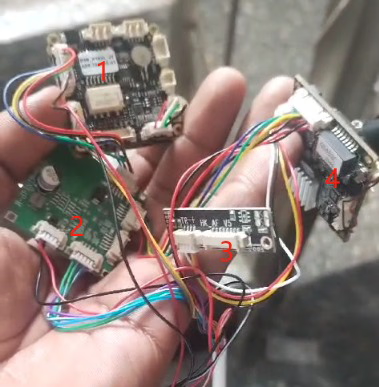
Board 1 is our main board. According to the previous screenshot, the IP address is 192.168.0.198.
Board 2, 3 и 4 are visible light cameras. They are IPCs with an IP address of 192.168.0.168.
The person wants rtsp stream of both RGB camera and thermal camera.
Here are the suggestions of our engineer.
- We sent you how to connect to it. Just connect it as shown above. Then visit 192.168.0.198 in your browser to access the backend of the motherboard.
- The main board is connected to the ipc board via the network port and the thermal imaging module is connected via usb
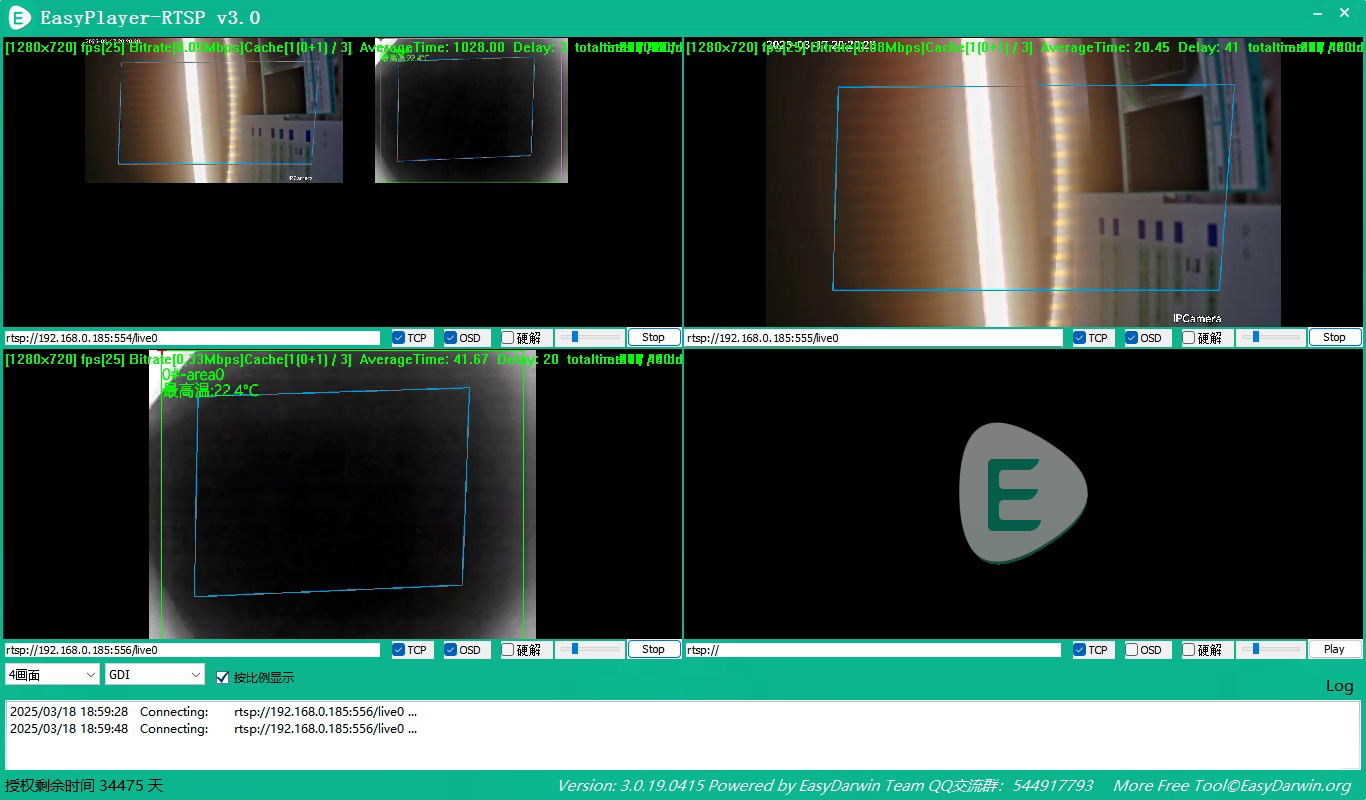
- The 3-way stream on your version should look like this.
- We don’t know where you removed it and how you connected it. It was said that the thermal imaging video could work before. What problem did you encounter now?
- You can restore it to the best connection state as we sent it. Go to the 192.168.0.198 backend to see if the preview is normal. If it is normal, follow these 3 URLs to pull the stream. Replace the 192.168.0.186 in my picture with 192.168.0.198.
Задайте въпрос
Вашето съобщение е изпратено