



360 conmutador de cámara
360 Grado cuatro entrada de cámara una salida de vídeo 4 a 1 conmutador panorámico inteligente

Descripción
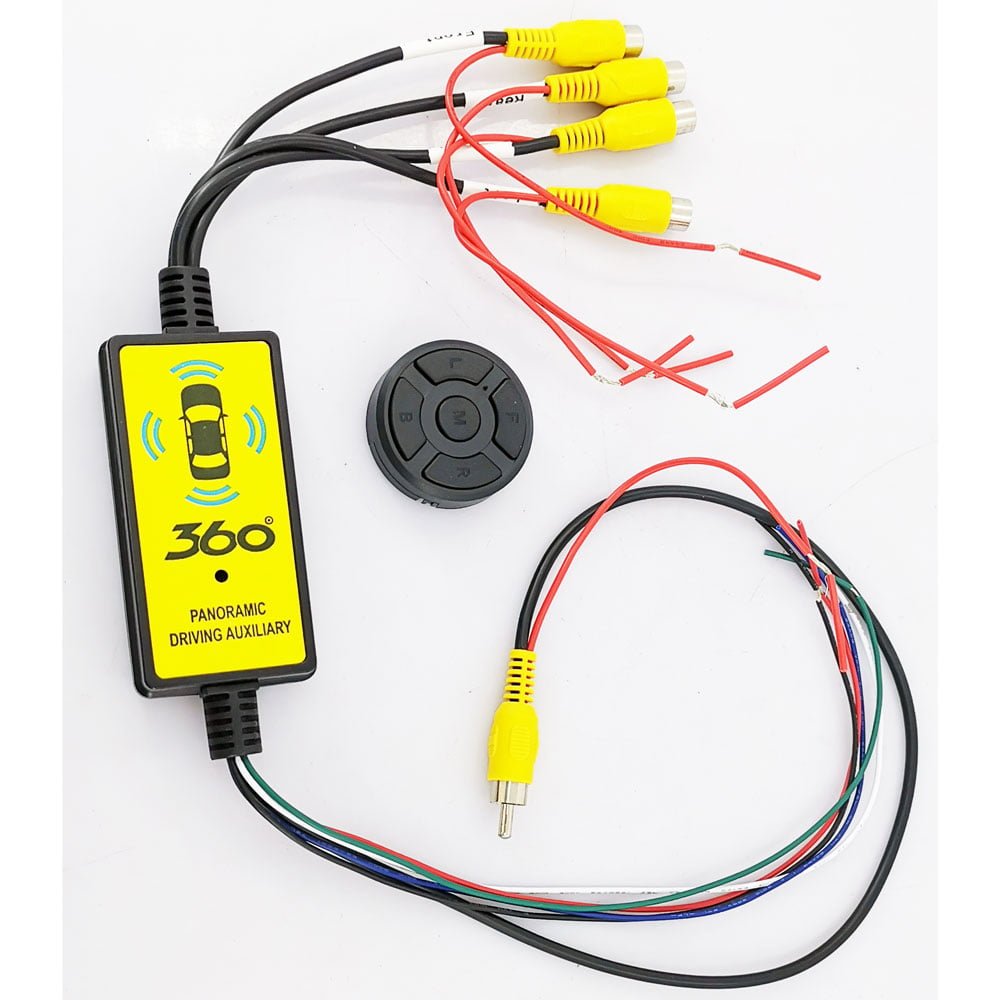
360 conmutador de cámara, 4 a 1 Inteligente 360 Se supone que el conmutador panorámico agrega más entradas de video para las cámaras cuando se conecta con una interfaz de video para diferentes modelos de automóviles.. Es una especie de solución de bricolaje para clientes con fácil instalación.. El conmutador puede funcionar con una interfaz de vídeo., DVD del coche del mercado de accesorios, o monitorear.
Especificación
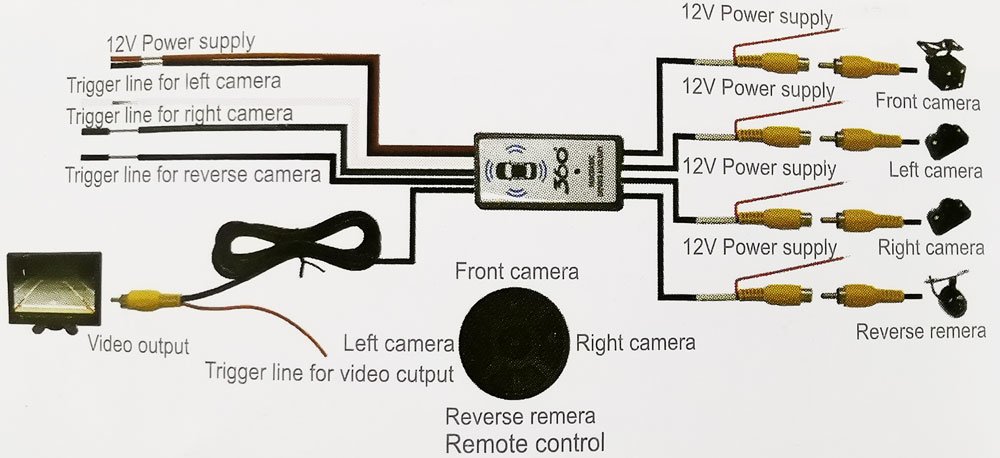
- Cuatro entradas de vídeo: Vista izquierda, Vista derecha, Vista frontal, y vista inversa. Hay una fuente de alimentación de +12 V para cada entrada de vídeo..
- Cuatro salidas de video comparten con un canal de video con la misma línea de activación de energía.
- Cuando cada cámara recibe alimentación de la lámpara del coche correspondiente, la pantalla podría mostrar el canal de vídeo correcto encendiendo el indicador izquierdo y derecho o retrocediendo. cuando te das la vuelta “R” a otro equipo, la pantalla mostrará la vista frontal para 7 artículos de segunda clase (es opcional). Después 7 artículos de segunda clase, recupera el estado cerrado de la salida de vídeo.
- El color del cable se refiere a la alimentación de +12 V. (cable rojo), Tierra – (cable negro), Indicador izquierdo (cable azul), Indicador derecho (cable verde), y lámpara de marcha atrás (cable blanco)
- El producto en sí ha diseñado la alimentación del producto y el circuito de protección de suministro de la cámara lleva a cabo la protección de la cámara y el circuito del vehículo..
- Adopta un control remoto inalámbrico.
- Amplio voltaje VCC 8-16V; Si se aplica en el camión, deberías usar un transformador de 24V a 12V.
Paquete
Contenidos estándar: 4 a 1 inteligente 360 Conmutador panorámico, mando a distancia, libro manual.
Instalación

- Línea de activación azul para conectar con la energía de la lámpara de respaldo
- Línea de disparo blanca para conectar con la alimentación del indicador izquierdo
- Línea de activación verde para conectar con la alimentación del indicador derecho
- Rojo y la línea negra es + 12entrada de alimentación V
- Mando a distancia:
botón M — Cambie el módulo y salga de la salida de la cámara.
botón B — cámara de marcha atrás
botón R — cámara derecha
botón L — cámara izquierda
botón F — Cámara frontal
(La vista de la pantalla se puede cambiar tanto mediante la línea de activación de alimentación como mediante el control remoto.. Si cree que la conexión del disparador de energía es compleja, puedes usar el control remoto. Sólo en ese caso al salir de la vista de respaldo a la vista frontal 7s, solo admite el disparador de respaldo. Reduce principalmente las operaciones de error.)
Descripción general de las características del producto
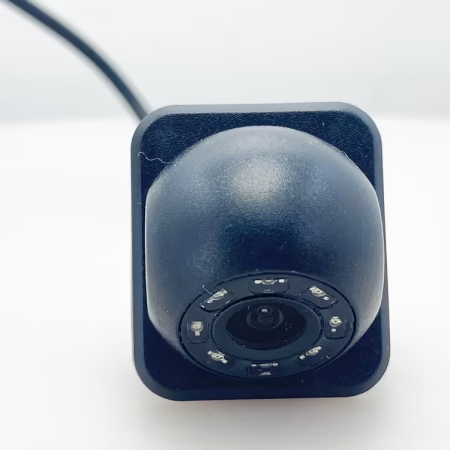
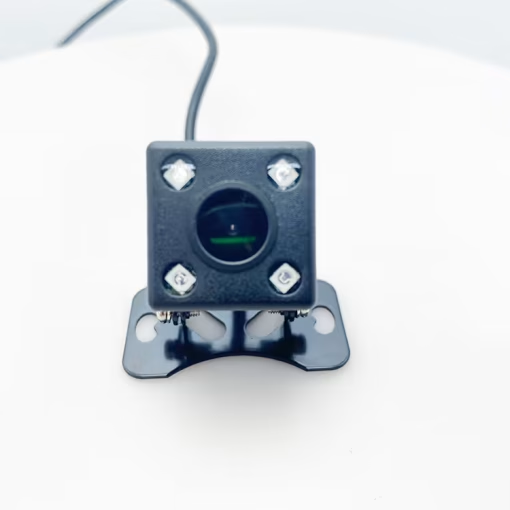
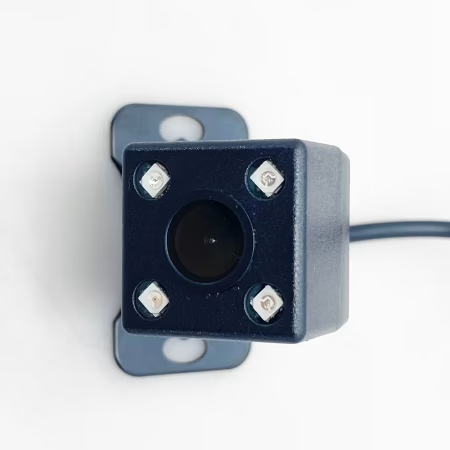
Nuestro producto permite la conexión simultánea de cuatro cámaras ubicadas alrededor del vehículo.: uno al frente, uno en la parte trasera, y uno a cada lado (izquierda y derecha). Además, Incluye tres líneas de activación para una funcionalidad mejorada..
Funcionalidad de la cámara
Movimiento hacia adelante: Cuando el vehículo avanza, la pantalla muestra principalmente la transmisión de video de la cámara frontal.
invertir: Al poner la marcha atrás, se activa la línea de activación vinculada a la luz de marcha atrás, cambiar automáticamente la pantalla para mostrar la cámara de visión trasera.
Señales de giro:
La línea de disparo de la cámara izquierda está conectada a la señal de giro izquierda.. Cuando se activa, cambia la pantalla para mostrar la vista de la cámara del lado izquierdo.
Similarmente, La línea de disparo de la cámara derecha se conecta a la señal de giro derecha., permitiendo un cambio perfecto a la cámara del lado derecho cuando sea necesario.
Mecanismo de conmutación
Como sofisticado conmutador para cámaras integradas, Nuestro sistema gira de forma inteligente a través de las transmisiones de la cámara según las señales de conducción del vehículo.. Tenga en cuenta que solo se puede mostrar una transmisión de cámara simultáneamente, Garantizar claridad y centrarse en el entorno relevante..
Función de espectáculos de vídeo
Galería


Preguntas frecuentes
q: ¿Se puede mostrar el vídeo de cuatro cámaras en el mismo monitor??
A: Nuestro producto admite la conexión de cuatro cámaras al mismo tiempo, delante del coche, detrás del auto, en el lado izquierdo del vehículo, y en el lado derecho del auto, y hay tres líneas de activación.
Cuando el coche avanza, La pantalla normalmente muestra el vídeo delante del coche.. Cuando el auto comienza a dar marcha atrás, La línea de disparo conectada a la luz de marcha atrás funciona., y la pantalla cambia a la cámara de visión trasera.
Del mismo modo, La línea de disparo de la cámara izquierda está conectada a la señal de giro izquierda., y la línea de disparo de la cámara derecha está conectada a la señal de giro derecha.
Como conmutador para cámaras de a bordo, La pantalla de la cámara actual se puede cambiar a su vez según las luces de conducción del coche., y la pantalla de cuatro cámaras no se puede mostrar al mismo tiempo.



isdb-t.com_buyer –
Este conmutador de vídeo panorámico inteligente 4 a 1 supone un cambio absoluto en mi configuración de vigilancia y monitorización.! La instalación fue increíblemente sencilla: simplemente conecté mis cuatro cámaras a las entradas y conecté un único cable de salida a mi grabadora.. La conmutación inteligente es perfecta y brillantemente intuitiva.; detecta automáticamente el movimiento y prioriza la alimentación de la cámara más activa, garantizar que nunca me pierda actividades críticas. La calidad de la imagen sigue siendo nítida y clara., sin retrasos ni distorsiones durante la transición. Ha simplificado drásticamente mi sistema., reduciendo el desorden de cables y la necesidad de monitoreo manual constante. Para cualquiera que administre varias transmisiones de cámara y desee una cámara inteligente, solución automatizada, este conmutador es increíblemente eficiente, confiable, y ofrece un valor excepcional. Funciona exactamente como se prometió!