
שדרוג קושחה של מאפנן ISDB-T Vcan1907
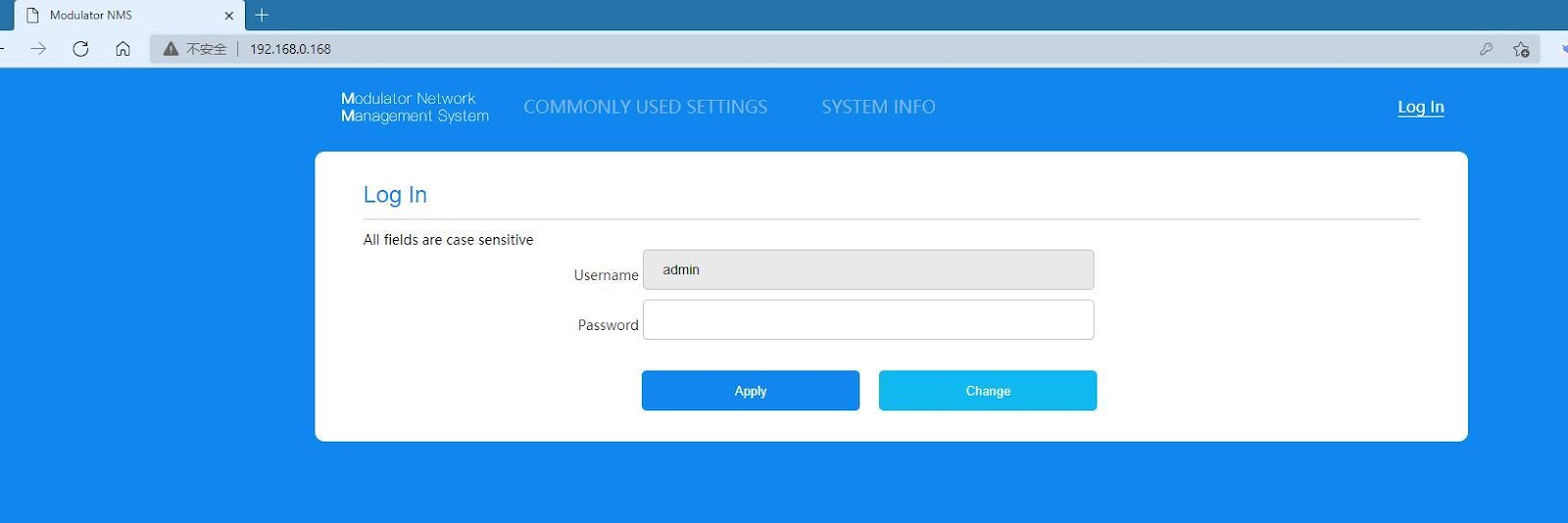
- After powering on the ISDB-T modulator, connect the network cable, open the browser, and enter the IP address: 192.168.0.168 (default account password is admin)
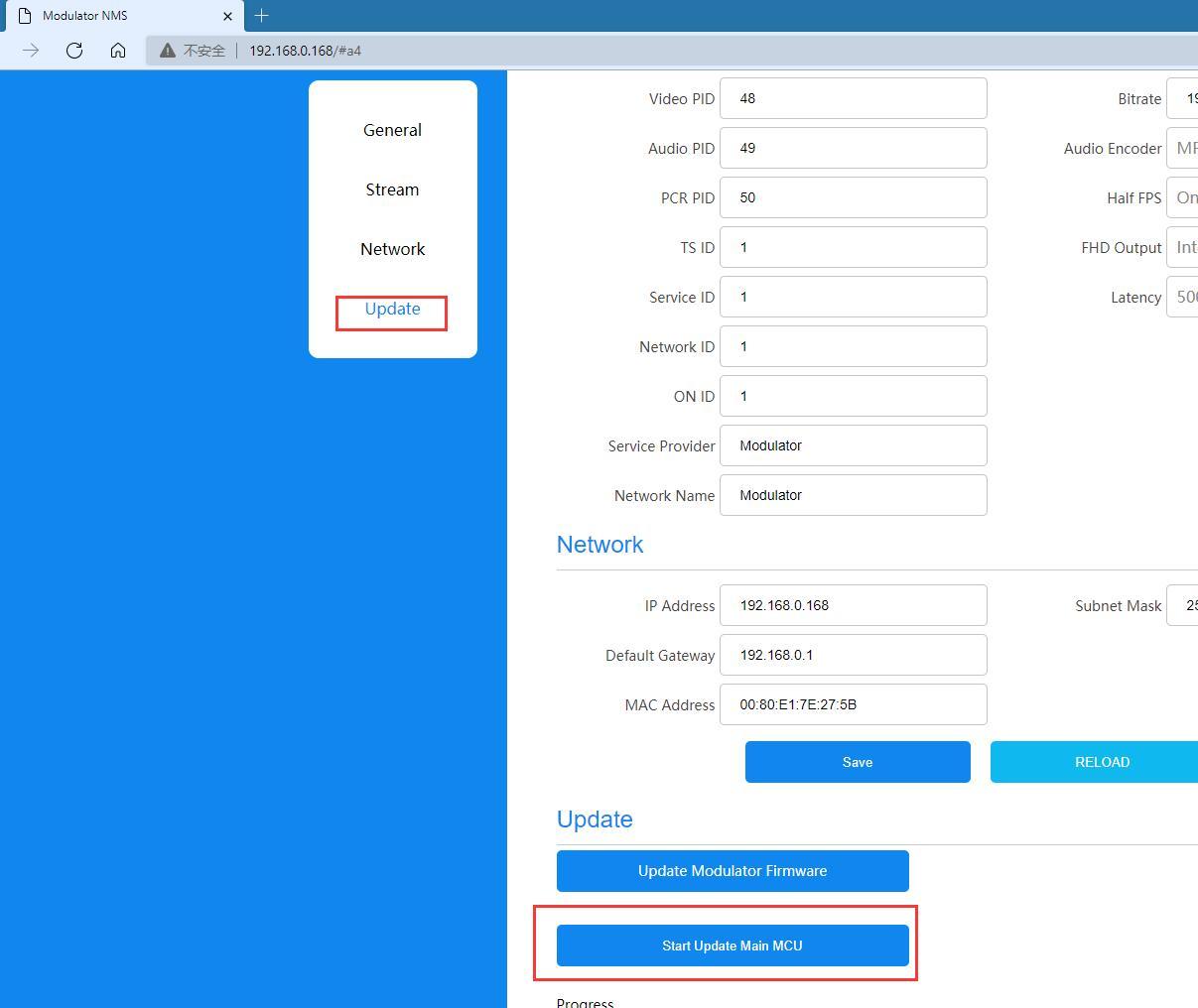
- Select the main menu Update ——-start Update Main MCU
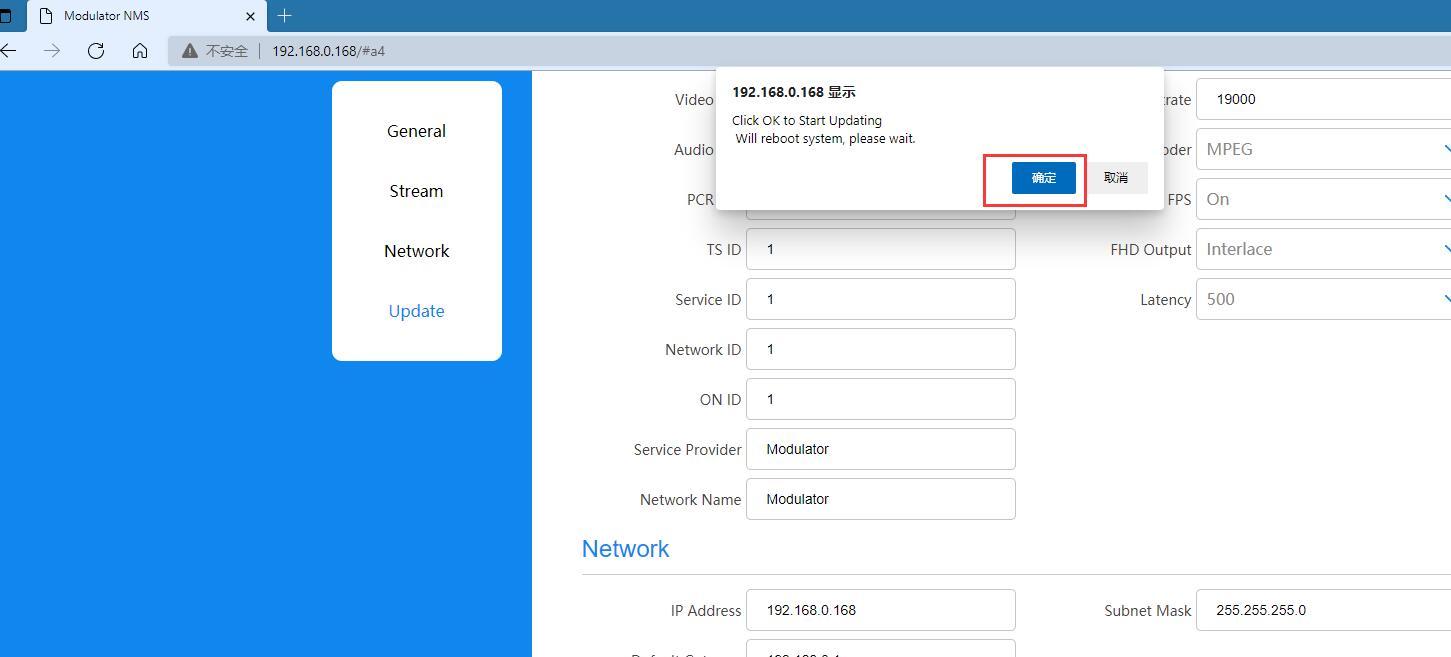
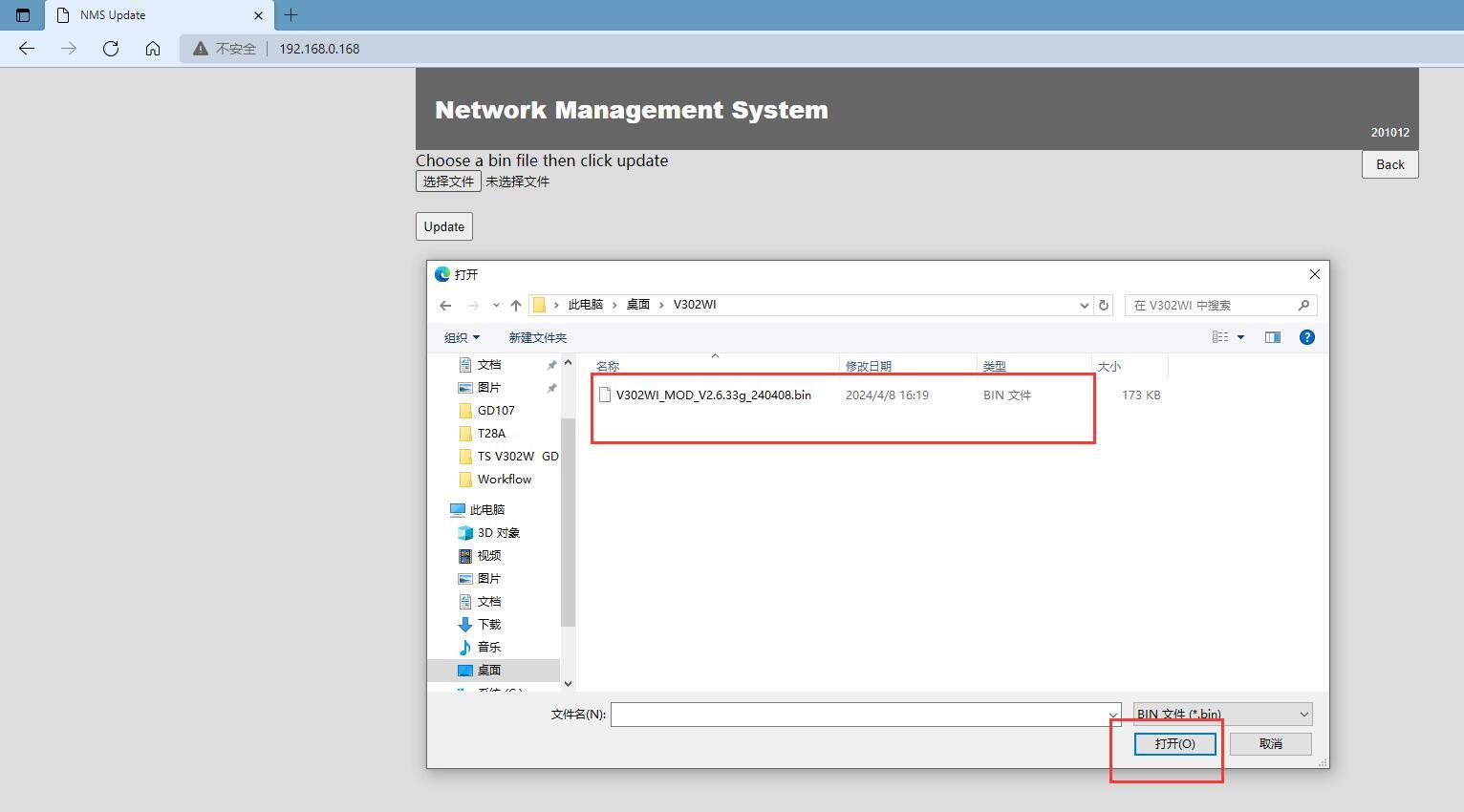
- Wait to enter the motherboard Code burning web page, click to select the file, and enter the folder where the motherboard Code is stored.
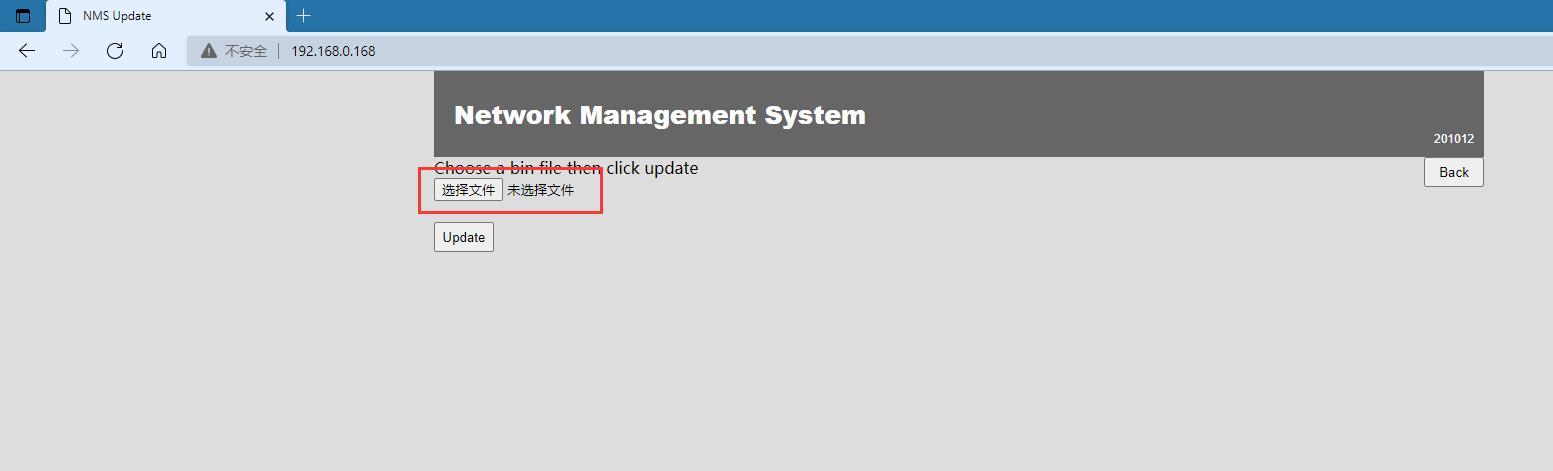
- After selecting the file, click Open
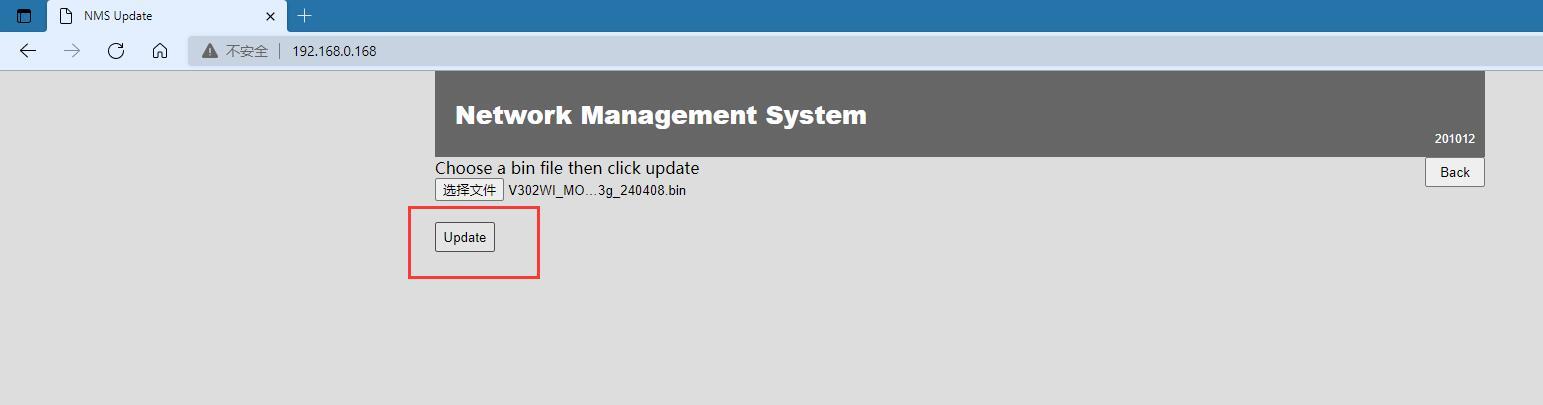
- Click Update, the motherboard enters the update code, please do not cut off the power during this period
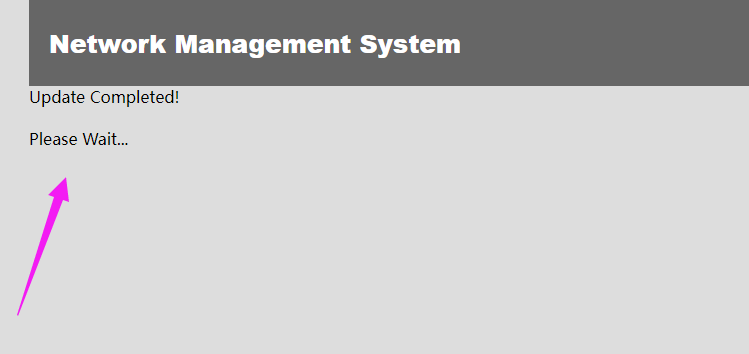
- After completing the update, the machine will automatically restart. After the restart is complete, refresh the web page to enter the login interface.
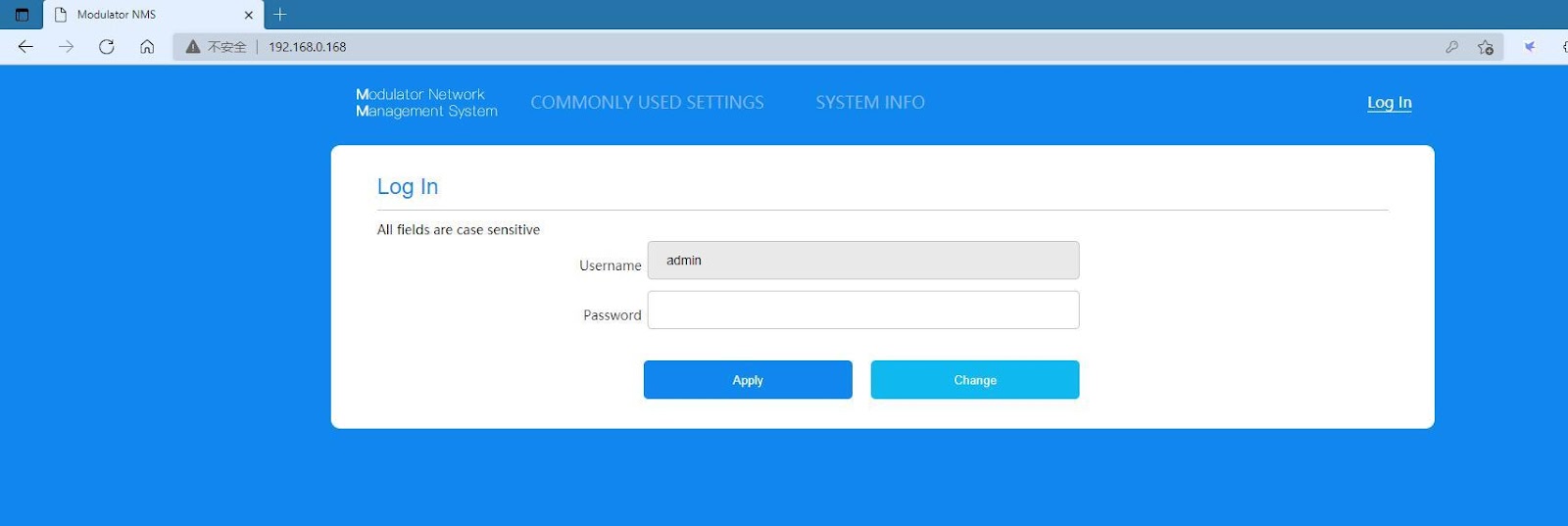
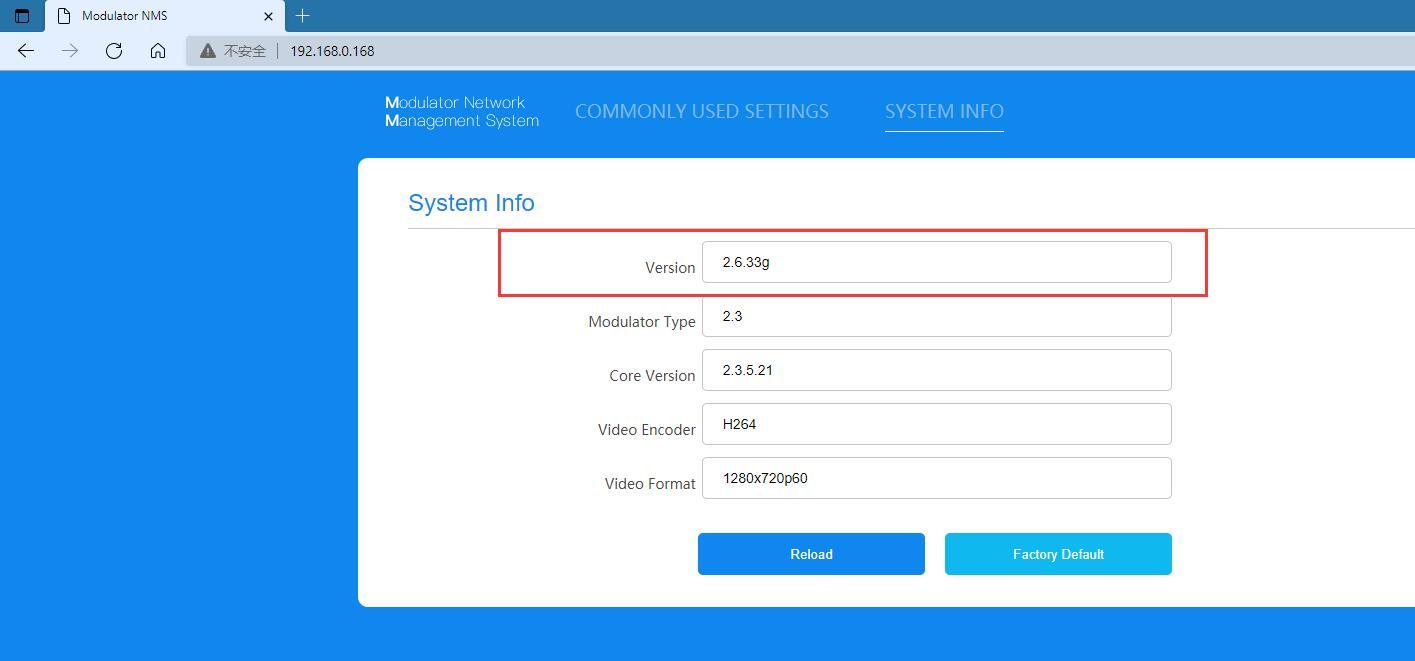
7. הזן את מנהל הסיסמה כדי להיכנס לממשק הראשי, and enter SYSTEM INFO to check whether the version is consistent with the updated file version.
ISDB-T modulator upgrade firmware download
https://drive.google.com/file/d/1RN-H1ksU3IVonmIJjqK6qQFm49kdW6oe/view?usp=drive_link

שאל שאלה
תודה רבה ששלחת את התשובה! ✨