

Penerima Video Nirkabel COFDM keluaran HDMI CVBS
COFDM Penerima Video Nirkabel HDMI CVBS Output Modul Modulator Mini Jarak Jauh Fpv UAV Transmisi Data Perekam Konfigurasi UART


Bekerja untuk COFDM-905T

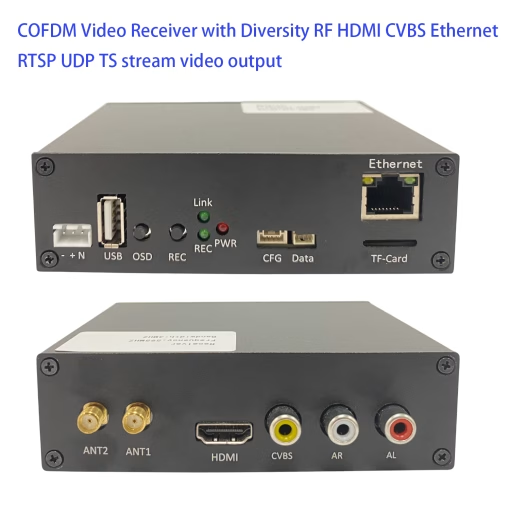
Penerima transmisi video nirkabel digital HD COFDM-905R
Papan Dekoder internal dan modul demodulasi penerima antena ganda COFDM, seluruh mesin mengadopsi casing paduan aluminium, sensitivitas penerimaan yang tinggi, penundaan tampilan decoding rendah, keluaran video definisi tinggi stabil dan jernih.
Fitur
- Penerimaan Antena Ganda
- Mendukung rentang frekuensi kerja: 160MHz~860MHz, frekuensi kerja pusat dapat dikonfigurasi;
- Bandwidth nirkabel dapat dikonfigurasi;
- Sensitivitas penerimaan antena ganda -100±1dbm (QPSK 8MHz);
- Informasi status penerimaan nirkabel (seperti kekuatan sinyal yang diterima, tingkat antarmuka udara, kecepatan data, frekuensi kerja, bandwidth nirkabel, dll.) dapat ditumpangkan/tidak ditampilkan pada layar video melalui tombol sakelar OSD, atau output ke port serial (disesuaikan) ;
- Dekode video H264 latensi rendah, mendukung pemutaran decoding 1080P@60;
- Keluaran audio dan video (HDMI, CVBS, Output simultan port USB):
- Output audio dan video port HDMI Tipe A
- CVBS (Kepala Teratai) Keluaran audio dan video AV
- Output aliran video ke tampilan decoding ponsel/tablet melalui port USB
- Mendukung fungsi penerimaan dan dekripsi video (cocok dengan enkripsi video di ujung transmisi);
- Mendukung kartu TF atau perekaman video disk USB;
- Menyediakan port serial transmisi data transparan satu arah satu arah;
- Berikan parameter untuk mengkonfigurasi port serial untuk pengaturan kerja (seperti frekuensi kerja pusat, bandwidth nirkabel, menerima kata sandi dekripsi);
- Catu daya: 6~15V, konsumsi daya kerja adalah 230mA@12V.
- Ukuran mesin: 115x90x34mm
- Berat mesin: 243 gram
Konektor:

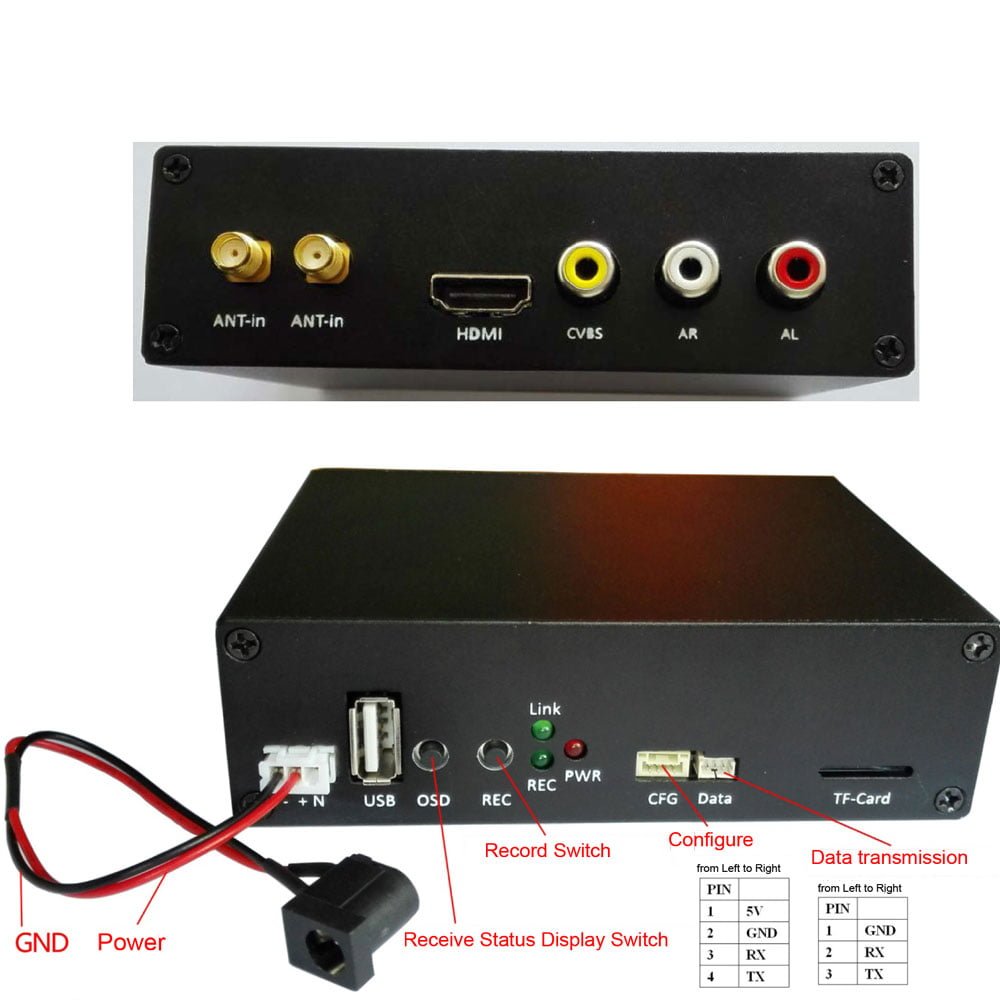
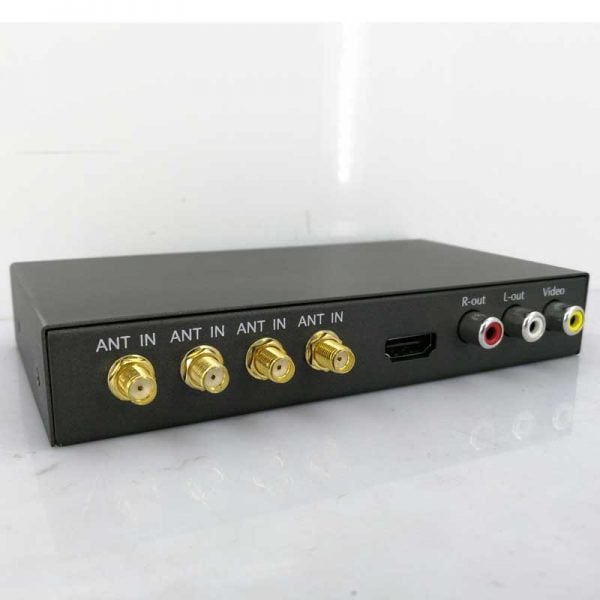
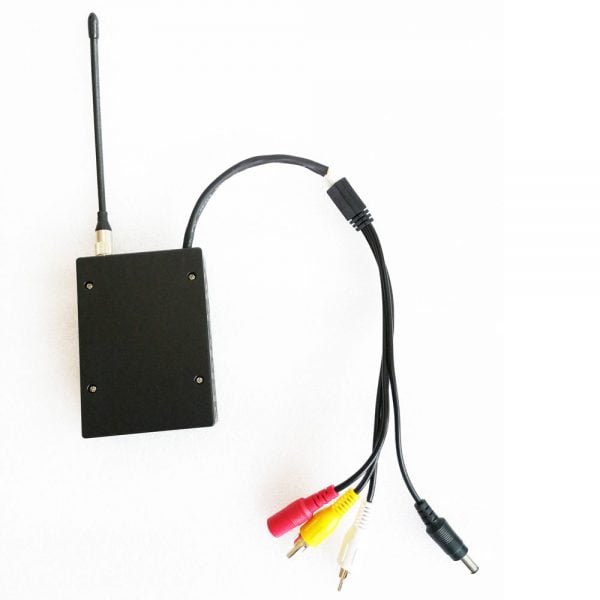
- SEMUT-masuk: antarmuka antena masukan sinyal nirkabel, Lubang dalam berulir eksternal SMA
- HDMI: Tipe pembawa HDMI, antarmuka keluaran audio dan video definisi tinggi
- CVBS: antarmuka keluaran video analog
- AL/AR: keluaran audio analog saluran kiri dan kanan
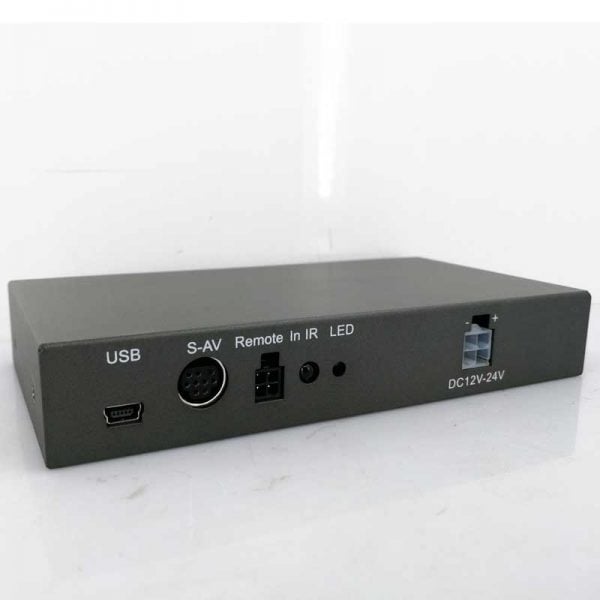
- Kekuatan konektor: 3Soket PIN 2,54 mm
- USB antarmuka:
- Ponsel atau tablet eksternal dapat digunakan untuk mengeluarkan audio dan video ke ponsel atau tablet untuk mendekode tampilan
- Perekaman video dapat dihubungkan ke flash drive USB eksternal atau hard disk USB
- tombol OSD:
Informasi status penerimaan menampilkan tombol on/off, Dan tombol tekan lama dapat mengganti status sakelar, dan status sakelar akan dimatikan. Ketika tampilan informasi status penerimaan dihidupkan, itu ditampilkan dengan warna merah di sudut kiri atas layar video keluaran:- Federasi Rusia:338.0MHz BW:4.0MHz
QPSK CR:2/3 GI:1/16
UDARA:3.90Mbps
VBR:3.05Mbps AES MATI
SIG1:27 SIG2:22
ber1:0.14% ber2:100.00%
REKAM MATI Tanpa Penyimpanan - Federasi Rusia menunjukkan frekuensi operasi pusat, Dan BW menunjukkan bandwidth kerja.
QPSK adalah mode modulasi, CR adalah tingkat kode konvolusional, dan GI adalah interval penjaga.
UDARA adalah laju antarmuka udara
VBR adalah kecepatan bit video, AES MATI berarti tidak ada enkripsi
SIG1 mengacu pada kekuatan sinyal yang diterima di dekat antena port HDMI, Dan SIG2 mengacu pada antena lainnya.
Ber1 mengacu pada tingkat kesalahan BER di dekat antena port HDMI, Dan ber2 mengacu pada antena lain.
REKAM MATI berarti tidak ada penyimpanan video
- Federasi Rusia:338.0MHz BW:4.0MHz
- Ketika sinyal penerimaan nirkabel terganggu atau lemah, layar video keluaran akan terganggu (layar sinyal yang diterima kembali akan dipulihkan secara otomatis), dan tampilan: Terputus, tidak ada sinyal
- tombol REKAM: Tombol hidup/mati perekaman video, tekan sebentar tombol untuk beralih status, mulai merekam setelah daya terdeteksi. Sistem default untuk merekam ke kartu TF. Jika kartu TF tidak dimasukkan, itu direkam ke flash drive USB. Jika tidak dimasukkan, mereka tidak akan dicatat.
- Indikator tautan: Indikator status kerja tautan penerima nirkabel menyala setelah sistem dimulai dan berkedip ketika sinyal penerimaan normal.
- Indikator REKAM: Indikator perekaman video akan berkedip pada frekuensi rendah saat merekam video, jika tidak, frekuensi tinggi akan berkedip.
- indikator PWR: Indikator Daya.
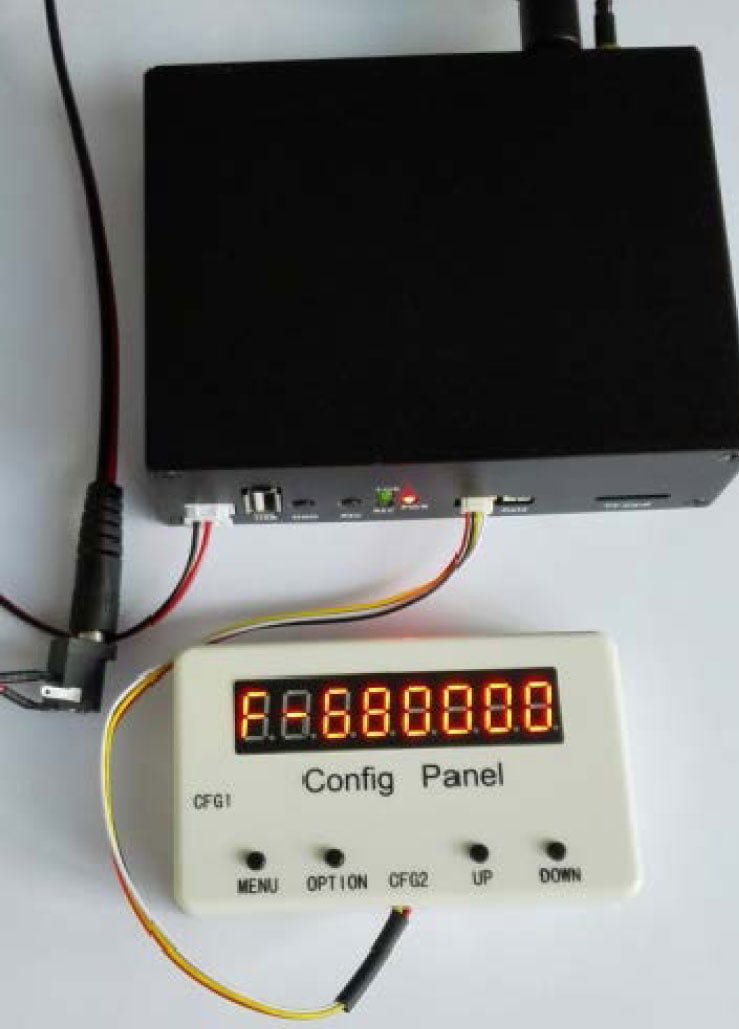
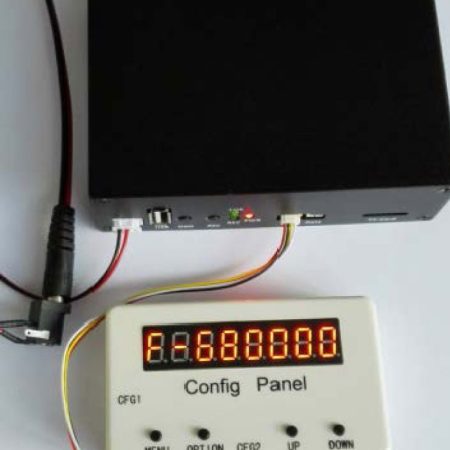
- Port serial CFG: Konfigurasi parameter Port serial, Anda dapat mengkonfigurasi parameter terkait penerimaan nirkabel, seperti frekuensi kerja pusat, bandwidth nirkabel, kata sandi dekripsi, dll.. Vcan menyediakan panel konfigurasi parameter yang cocok SconB untuk memfasilitasi pengaturan parameter pengguna.
- Port serial data: Port serial transmisi data transparan. Data port serial pemancar dapat dikirim secara nirkabel ke penerima dan dikeluarkan dari port serial.
- Antarmuka kartu TF: Digunakan untuk pemeliharaan peningkatan perangkat lunak atau untuk menyimpan video.
Catatan
Ketika pemancar COFDM-905T dan penerima COFDM-905T membentuk sistem transmisi video nirkabel point-to-point, indikator penundaan video:
Tiga indikator penundaan video, kecepatan bit video, dan tingkat antarmuka udara adalah saling mempengaruhi dan saling menahan diri. Ketika tingkat antarmuka udara lebih besar dari 5 kali kecepatan kode video, penundaan video minimum. Dalam hal ini, tes sebenarnya adalah tentang penundaan video 60 ms ketika kode dikirimkan pada 720P@60, dan penundaan video hampir tiba 130 ms pada 1080P@60. Penundaan mengacu pada penundaan dari input video HDMI di ujung transmisi ke output video HDMI di ujung penerima, tidak termasuk penundaan kamera depan dari ujung transmisi (kami mengukur penundaan kamera SLR merek sekitar 70 MS, dan penundaan kamera olahraga merek terkenal sekitar 130 MS). Untuk sebagian besar skenario aplikasi, penundaan video diatur sekitar 200ms secara default.
Ketika pemancar COFDM-905T dan penerima COFDM-905R membentuk sistem transmisi video nirkabel point-to-point, jarak transmisinya adalah:
Jarak transmisi nirkabel terkait dengan banyak faktor seperti lingkungan pengujian, interferensi elektromagnetik sekitar, kondisi oklusi, kelembaban udara, frekuensi kerja, bandwidth nirkabel, dan antena pengirim dan penerima. Hasil tes sebenarnya: tes pelanggan, pesawat tak berawak memasang pemancar ST100 untuk terbang 100 tinggi meter, diatur ke bandwidth nirkabel QPSK 4M, 700Frekuensi operasi pusat MHz, 1W mengirimkan daya, antena pemancar 3dBi sekitar, Menerima penguatan antena serat kaca ganda sekitar 10dBi, jarak hingga 16km (videonya lancar); tes jalan kami sendiri di Shenzhen, peluncuran berakhir di jalan layang, antena selang biasa (tentang penguatan 3dBi), 340Peluncuran MHz, Bandwidth QPSK 8M, antena fiberglass di ujung penerima, dan antena Yagi, tentang 2.2 meter tinggi di tiang, 2.2 kilometer jauhnya, video definisi tinggi halus, sejumlah kecil bangunan bertingkat tinggi antara pemancar dan penerima, jalan secara visual 20 derajat lentur. Karena pembatasan bersyarat, tidak ada tes jalan lebih lanjut yang dilakukan.
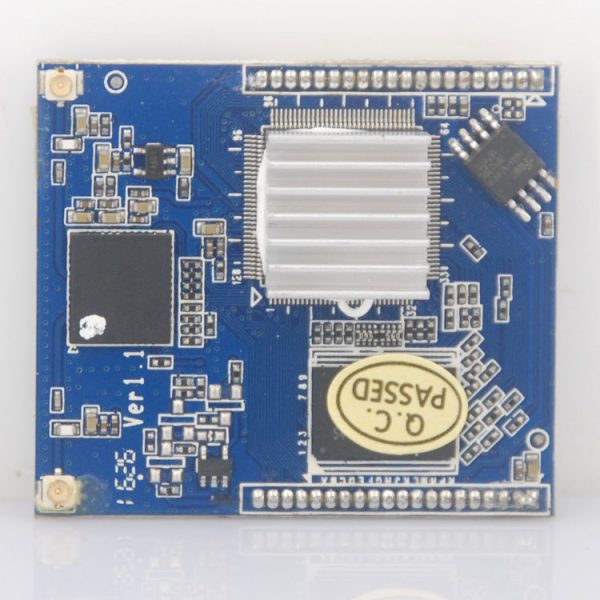
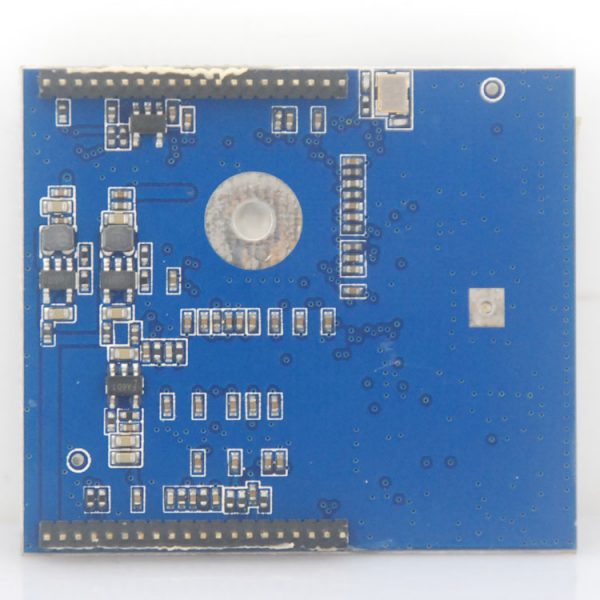
Konektor


Ukuran
75 X 55 X 25 mm

Uji Kinerja RF
Frekuensi Pusat Operasi 470MHz, Penguat Daya: 1W


Frekuensi Pusat Operasi 700MHz, Penguat Daya: 1W


Meningkatkan
Cara mengupgrade TX dari 720P ke 1080P?




isdb-t.com_buyer –
Penerima video nirkabel COFDM ini benar-benar merupakan pengubah permainan untuk operasi FPV dan UAV jarak jauh saya! Penyiapannya sangat sederhana—cukup sambungkan antena saya, nyalakan, dan sambungkan ke monitor saya menggunakan output HDMI untuk video HD sebening kristal atau input CVBS untuk kompatibilitas analog. Saya sangat terkesan dengan stabilitas dan sensitivitas sinyalnya yang luar biasa; itu mempertahankan tautan video yang kokoh pada jarak yang mengesankan, bahkan dalam tantangan yang tidak saling berhadapan (TIDAK) kondisi dimana sistem lain gagal. Desain modular mini sangat cocok untuk stasiun bumi portabel saya, dan kualitas pembuatannya terasa kokoh dan andal. Untuk penggemar drone yang serius atau profesional yang membutuhkan kesempurnaan, transmisi video jarak jauh, receiver ini memberikan kinerja luar biasa dan nilai luar biasa. Ini telah menjadi bagian tak terpisahkan dari perlengkapan saya!