
كيفية تحويل كاميرا ويب USB إلى كاميرا IP/Ethernet
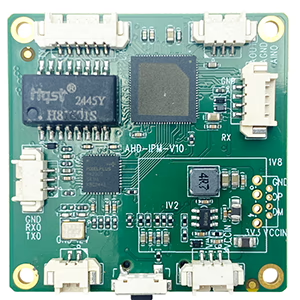
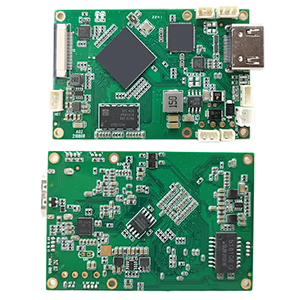
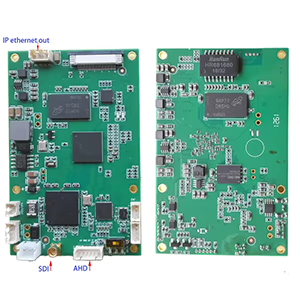
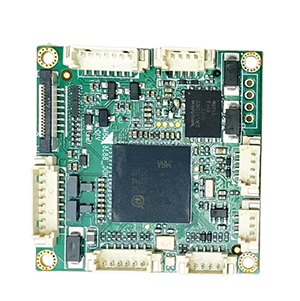
لوحات وحدات التشفير

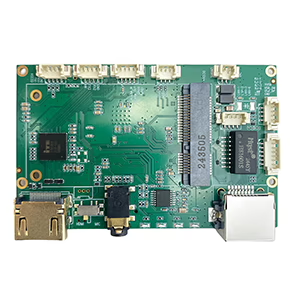
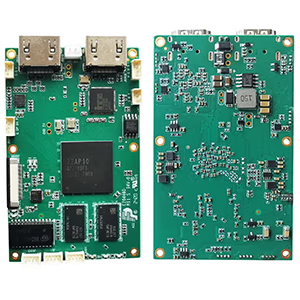
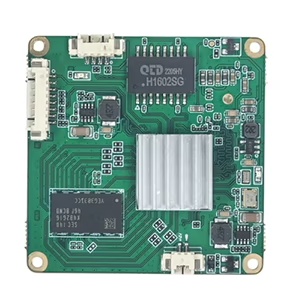
لوحات وحدات فك التشفير
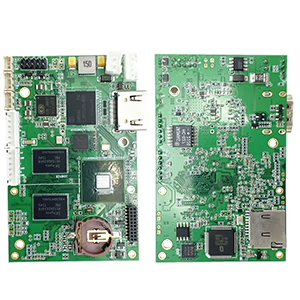

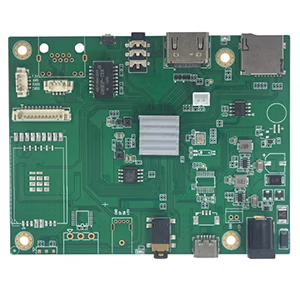
متاح للتخصيص
لديك كاميرا ويب USB قديمة موجودة وتتمنى أن تعمل ككاميرا IP? أنت لست وحدك. يرغب العديد من المستخدمين - بدءًا من المتحمسين للأمان إلى مطوري الطائرات بدون طيار - في بث الفيديو أو مراقبته عبر الشبكة بدلاً من كابل USB. لحسن الحظ, هناك طرق موثوقة للتحويل كاميرات الويب USB إلى كاميرات IP/Ethernet, وفي هذا المنصب, سنوضح لك كيف.
لماذا تحويل كاميرا ويب USB إلى IP?
تم تصميم كاميرات الويب USB التقليدية للاتصال المباشر بجهاز الكمبيوتر. وهذا يحد من مرونتها، خاصة إذا كنت تريد مراقبة موقع بعيد, توصيل كاميرات متعددة, أو دفق الفيديو إلى مسجل الشبكة (NVR).
عن طريق تحويل كاميرا الويب USB الخاصة بك إلى كاميرا IP, أنت تستطيع:
- شاهد بث الفيديو من أي جهاز على شبكتك
- دمجها مع أنظمة NVR, برنامج RTSP/ONVIF, أو الخدمات السحابية
- يُمكَِن 24/7 المراقبة دون تشغيل جهاز الكمبيوتر
- استخدامه في الطائرات بدون طيار, الروبوتات, أو أنظمة التفتيش الصناعي
خيار 1: استخدم برنامج تشفير الأجهزة (مُستَحسَن)
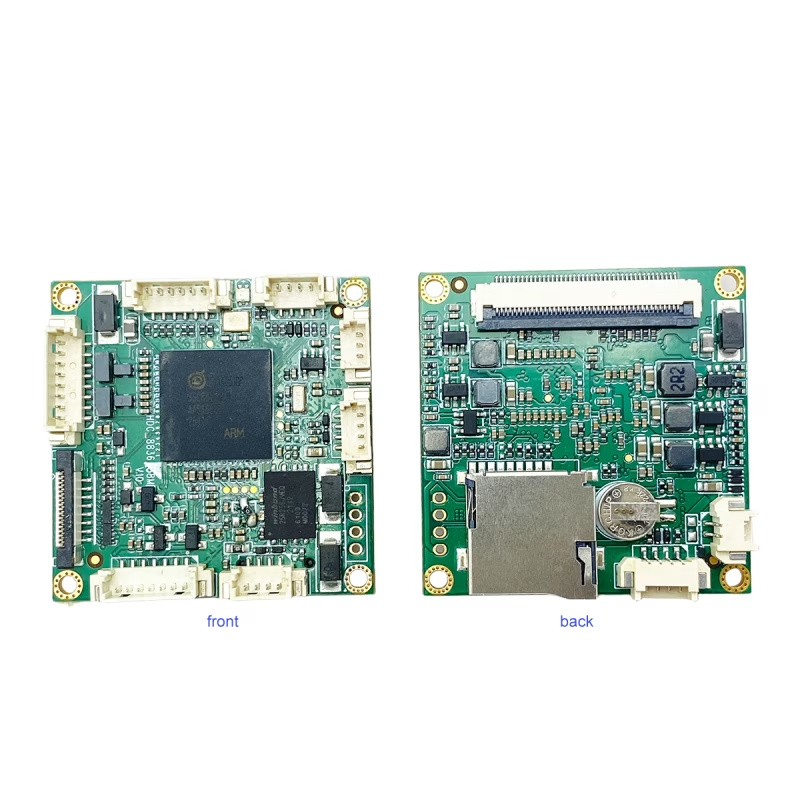
الحل الأكثر موثوقية هو أ لوحة تشفير USB إلى IP الذي يدعم إدخال UVC.
على سبيل المثال, ال كاميرا USB UVC إلى لوحة تشفير تدفق إيثرنت IP يحول فيديو USB القياسي إلى تدفق IP يمكن الوصول إليه عبر Ethernet.
كيف يعمل:
- قم بتوصيل الخاص بك كاميرا ويب USB إلى منفذ USB الخاص بلوحة التشفير.
- قم بتوصيل منفذ إيثرنت في جهاز التوجيه الخاص بك أو التبديل.
- الوصول إلى البث المباشر عبر RTSP, RTMP, HTTP, أو بروتوكولات ONVIF.
يتعامل جهاز التشفير مع ضغط الفيديو H.264/H.265 في الوقت الفعلي ويدعم دقة تصل إلى 1080ص @ 60 إطارًا في الثانية, تقديم تدفق سلس ومنخفض الكمون.
فوائد:
- سدادة & يلعب, لا حاجة لجهاز كمبيوتر
- الكمون المنخفض للغاية (منخفضة مثل 100 آنسة)
- يدعم 24/7 عملية مستمرة
- متوافق مع برنامج VLC, OBS, مسجلات فيديو رقمية (NVR)., يوتيوب, وأكثر
هذا النهج مثالي ل ترقيات الشبكة, روابط فيديو الطائرات بدون طيار, المراقبة المتنقلة, و الأتمتة الصناعية.
خيار 2: استخدم جهاز الكمبيوتر كجسر للبرامج
إذا كنت تفضل الإعداد القائم على البرمجيات, يمكنك استخدام جهاز الكمبيوتر الخاص بك كجسر بين كاميرا USB والشبكة.
البرامج الموصى بها:
- ملاحظة ستوديو (مع البرنامج المساعد RTSP/RTMP)
- ياوكام, iSpy, أو ويب كام إكس بي لنظام التشغيل Windows
- حركة أو ZoneLess لنظام التشغيل Linux
خطوات:
- قم بتوصيل كاميرا USB بجهاز الكمبيوتر الخاص بك.
- استخدم أحد التطبيقات المذكورة أعلاه لإنشاء ملف RTSP أو HTTP تدفق.
- قم بالوصول إلى الدفق عبر شبكتك المحلية باستخدام عنوان IP الخاص بجهاز الكمبيوتر الخاص بك.
في حين أن هذه الطريقة أكثر ملائمة للميزانية, فهو يتطلب أن يظل جهاز الكمبيوتر الخاص بك قيد التشغيل ويمكن أن يستهلك المزيد من موارد وحدة المعالجة المركزية.
تنسيقات الدفق المشتركة
تدعم معظم برامج تشفير الأجهزة تنسيقات إخراج متعددة:
- RTSP: مثالية لبرامج NVRs وكاميرات IP
- RTMP: للبث المباشر على موقع يوتيوب, فيسبوك, أو نشل
- HTTP/MJPEG: عرض مباشرة في متصفح الويب
- ONVIF: يضمن التوافق مع معظم منصات كاميرات IP
الأسئلة المتداولة
س1: ما هي أسهل طريقة لتحويل كاميرا ويب USB إلى كاميرا IP?
أ1: الطريقة الأسهل والأكثر موثوقية هي استخدام لوحة تشفير UVC USB إلى IP Ethernet التي تقوم بتحويل فيديو USB مباشرة إلى تدفقات RTSP أو ONVIF دون الحاجة إلى جهاز كمبيوتر.
Q2: هل أحتاج إلى برامج تشغيل خاصة لكاميرا USB الخاصة بي؟?
A2: لا, معظم كاميرات الويب USB متوافقة مع UVC, مما يعني أنها تعمل بنظام التوصيل والتشغيل مع أجهزة التشفير القياسية وبرامج البث.
س3: هل يمكنني الوصول إلى الدفق عن بعد عبر الإنترنت?
A3: نعم, يمكنك مشاهدة الفيديو عن بعد عن طريق تمكين إعادة توجيه المنفذ على جهاز التوجيه الخاص بك أو استخدام خيارات البث السحابي التي يدعمها برنامج التشفير الخاص بك.
س 4: هل يمكن تحويل أي كاميرا ويب USB إلى IP?
نعم, طالما أنه كذلك متوافق مع الأشعة فوق البنفسجية, والذي يتضمن معظم كاميرات الويب الحديثة.
س5: هل يمكنني استخدام كاميرا USB الحرارية?
نعم, إذا قامت الكاميرا بإخراج دفق فيديو UVC قياسي. قد تحتاج الموديلات التي لا تحتوي على UVC إلى برامج تشغيل خاصة.
س6: هل يحتاج التشفير إلى طاقة إضافية؟?
تتطلب معظم المجالس 12مدخلات تيار مستمر الخامس, إما عن طريق USB أو محول خارجي.
س7: هل يمكنني الوصول إلى الدفق عن بعد?
نعم. عن طريق إعادة توجيه المنافذ أو استخدام DDNS/cloud Relay, يمكنك مشاهدة الفيديو من أي مكان.
Q8: نحتاج إلى تحويل كاميرا USB بدقة 12 ميجابكسل إلى بروتوكول OnVif للاتصال بـ NVR.
يرجى النظر في النموذج أدناه.
https://isdb-t.com/product/convert-uvc-usb-camera-to-ip-lan-ethernet-streaming/
الأفكار النهائية
يؤدي تحويل كاميرا الويب USB الخاصة بك إلى كاميرا IP إلى فتح إمكانيات لا تعد ولا تحصى - بدءًا من ترقية كاميرا ويب قديمة للمراقبة المنزلية وحتى إنشاء أنظمة رؤية مخصصة للطائرات بدون طيار أو الروبوتات.
إذا كنت تبحث عن برنامج تشفير الأجهزة للتوصيل والتشغيل الذي يوفر أداءً احترافيًا, تحقق من كاميرا USB UVC إلى لوحة تشفير تدفق إيثرنت IP - حل مدمج وفعال من حيث التكلفة لتحويل أي كاميرا UVC إلى كاميرا شبكة.
محول ترميز الفيديو
قم بتحويل كاميرا USB UVC إلى IP LAN Ethernet ودعم RTSP UDP ONVIF
اطرح سؤالاً
شكرًا لردكم ✨