
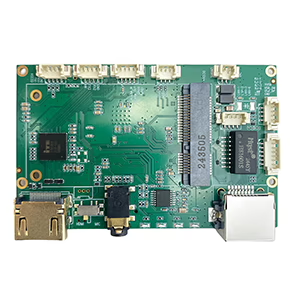
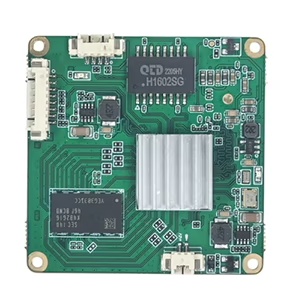
인코더 모듈 보드
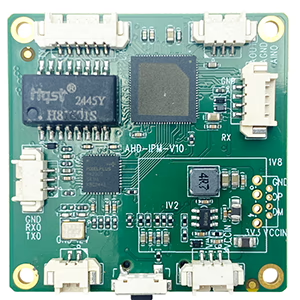
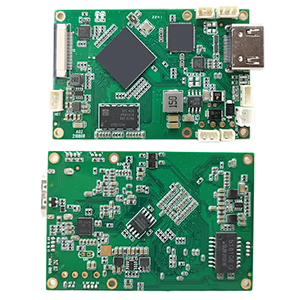
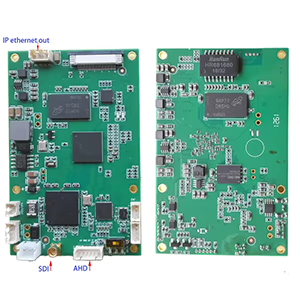
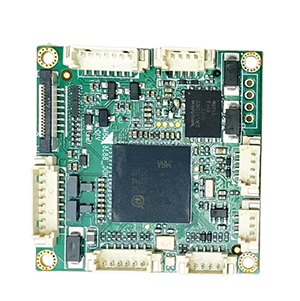

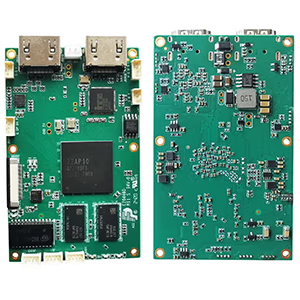
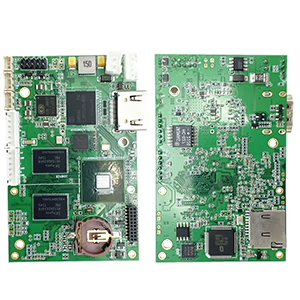
디코더 모듈 보드

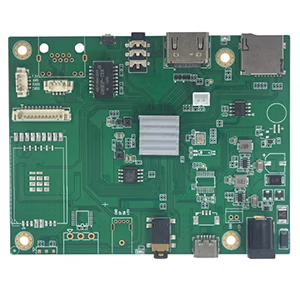
사용자 정의 가능
CVBS 및 AHD 카메라의 아날로그 비디오 신호를 변환할 수 있는 솔루션을 찾는 중입니다., AHD에 중점을 두고, 네트워크 전송 및 디지털 녹음을 위해 IP 기반 형식으로 변환. 비슷한 지원을 제공할 수 있나요??
입력
- 비디오 품질 옵션에는 AHD 720p 및 AHD 1080p가 포함됩니다. 30 초당 프레임.
- CVBS (NTSC)
산출
IP 카메라는 MJPEG 및 H264 압축 기능을 모두 갖춘 RTSP 스트리밍을 지원합니다..
답변:
AHD-IP 변환기에 대해 문의해 주셔서 감사합니다.. 우리는 귀하의 요구에 맞는 두 가지 유형의 제품을 보유하고 있습니다.. 차이점은 대기 시간에 있습니다.
모델 2090
모델 1731 (대기 시간을 낮추고 두 개의 비디오 스트림을 지원합니다., CVBS + AHD)
어떤 경우에는, 드론과 로봇은 극도로 낮은 지연 시간을 요구합니다., 반면 다른 애플리케이션은 100ms 지연의 영향을 받지 않습니다.
CVBS를 변환하는 비디오 인코더 (복합 비디오 베이스밴드 신호) 그리고 AHD (아날로그 고화질) IP로 (인터넷 프로토콜) 아날로그 신호를 네트워크 전송 가능한 디지털 스트림으로 변환하여 아날로그 및 디지털 비디오 시스템을 연결하도록 설계된 장치입니다.. 다음은 구조화된 분석입니다.:
주요 구성 요소 & 기능성
- 입력 처리:
- CVBS: 표준 화질 아날로그 신호 지원 (예를 들어, 480i/576i) RCA 또는 BNC 커넥터를 통해.
- AHD: 고화질 아날로그 신호 처리 (예를 들어, 720피, 1080피) 동축 케이블을 통해, 변환 중에 HD 품질 유지.
- 변환 프로세스:
- 디지털화: 아날로그-디지털 변환기 사용 (ADC) 아날로그 신호를 디지털 데이터로 변환하는 것.
- 압축: H.264/H.265와 같은 코덱을 적용하여 품질을 유지하면서 파일 크기를 줄입니다., 대역폭 사용량 최적화.
- 포장: 데이터를 IP 친화적인 형식으로 캡슐화합니다. (예를 들어, RTSP, RTP) 네트워크 전송을 위해.
- 산출:
- 이더넷을 통해 전송, IP 네트워크에 통합 가능. PoE(Power over Ethernet) 지원 가능 (PoE) 단순화된 전력 및 데이터 전달을 위해.
응용
- 레거시 시스템 현대화: 구형 아날로그 CCTV 카메라 통합 (CVBS/AHD) 기존 인프라를 교체하지 않고 IP 기반 감시 시스템으로 전환.
- 하이브리드 감시: 아날로그 및 IP 카메라 동시 사용 가능, 단계적 업그레이드에 이상적.
- 원격 액세스: 클라우드 스토리지를 용이하게 합니다., 라이브 스트리밍, 네트워크 장치를 통한 원격 모니터링.
특징
- 다중 채널 지원: 일부 인코더는 여러 입력을 처리합니다. (예를 들어, 4-채널 모델) 확장성을 위해.
- 구성 유연성: 해상도 조정을 위한 웹 기반 인터페이스, 비트 전송률, 및 프레임 속도.
- 호환성: 네트워크 비디오 레코더와의 상호 운용성을 보장하기 위해 종종 ONVIF 표준을 지원합니다. (NVR) 및 소프트웨어.
고려사항
- 숨어 있음: 인코딩이 약간 지연될 수 있습니다., 실시간 애플리케이션에 매우 중요.
- 대역폭 관리: 조정 가능한 압축 설정으로 비디오 품질과 네트워크 부하 균형 유지.
- 하드웨어 요구 사항: 네트워크 인프라 보장 (예를 들어, 스위치, 라우터) 증가된 IP 트래픽을 처리할 수 있습니다..
사용 사례 예시
기존 AHD 카메라를 활용한 보안 시스템 (1080피) CVBS 카메라는 인코더를 사용하여 네트워크를 통해 영상을 스트리밍할 수 있습니다.. 인코더는 신호를 디지털화하고 압축합니다., 스마트폰이나 PC를 통한 중앙 집중식 관리 및 액세스를 위해 NVR과 통합 가능.
MJPEG 소개
MJPEG (모션 JPEG) 각 개별 프레임이 독립형 JPEG 이미지로 압축되는 비디오 압축 형식입니다.. 최신 코덱과 달리 (예를 들어, H.264, MPEG), 그것은 사용하지 않습니다프레임 간 압축 (시간적 압축), 고유한 장점과 한계가 발생함.
주요 특징
- 프레임 독립성: 각 프레임은 완전한 JPEG 이미지입니다., 그것을 만드는:
- 처리가 간단함 (낮은 계산 오버헤드).
- 낮은 대기 시간 (감시 또는 의료 영상과 같은 실시간 애플리케이션에 이상적).
- 편집이 용이함 (인접한 프레임을 디코딩하지 않고도 개별 프레임을 추출할 수 있습니다.).
- 호환성: JPEG의 편재성으로 인해 널리 지원됨. 대부분의 장치에서 작동, 브라우저, 및 소프트웨어.
- 품질: 일관된 프레임별 품질 유지, 프레임 정확도가 필요한 애플리케이션에 유용합니다. (예를 들어, 비디오 편집, 프레임별 분석).
장점
- 낮은 대기 시간: 실시간 미리보기 또는 실시간 시스템에 적합.
- 하드웨어 친화적: 최소한의 처리 능력으로 쉽게 인코딩/디코딩 가능.
- 프레임 정확도: 프레임 간 압축으로 인한 모션 블러 아티팩트 없음.
단점
- 대용량 파일 크기: 시간적 압축이 없다는 것은 더 높은 스토리지/대역폭 요구 사항을 의미합니다..
- 긴 비디오에는 비효율적: 최신 코덱보다 덜 최적입니다. (예를 들어, H.265) 스트리밍 또는 보관용.
- 제한된 기능: 동적 비트 전송률 조정 또는 HDR과 같은 최신 기능은 지원되지 않습니다..
일반적인 사용 사례
- 감시 시스템: 실시간 모니터링을 위한 낮은 대기 시간 및 프레임 정확도.
- 의료 영상: 프레임 독립성은 중요한 프레임 간의 데이터 손실을 방지합니다..
- 레거시 장치/카메라: 디지털 카메라, 웹캠, 또는 단순성이 핵심인 드론.
- 비디오 편집: 프레임 수준 액세스로 후반 작업 작업 흐름이 단순화됩니다..
기술 노트
- 색상 서브샘플링: 일반적으로 JPEG를 사용합니다. 4:2:0 크로마 서브샘플링.
- 변형: MJPEG2000 (웨이블릿 압축을 사용합니다.) 더 나은 품질을 제공하지만 광범위한 호환성이 부족합니다..
- 컨테이너 형식: 종종 AVI로 포장됨, MOV, 또는 멀티미디어 전송 스트림.
최신 코덱과의 비교
| 특징 | MJPEG | MPEG/H.264/H.265 |
|---|---|---|
| 압축 효율성 | 낮은 (프레임 내에서만) | 높은 (프레임 간 + 인트라) |
| 숨어 있음 | 매우 낮음 | 보통에서 높음 |
| 편집 유연성 | 높은 (프레임 독립성) | 낮추다 (GOP 의존성) |
| 대역폭 사용 | 높은 | 최적화됨 |
MJPEG를 사용해야 하는 경우?
- 우선순위낮은 대기 시간 파일 크기 초과.
- 필요하다프레임별 액세스 편집/분석용.
- 처리 능력이 제한된 레거시 시스템이나 하드웨어로 작업.
스트리밍 또는 스토리지 효율성을 위해, 최신 코덱 (예를 들어, H.265, VP9) 일반적으로 더 나은 선택입니다.
질문하기
응답해 주셔서 감사합니다. ✨