
Encoder Modules Boards

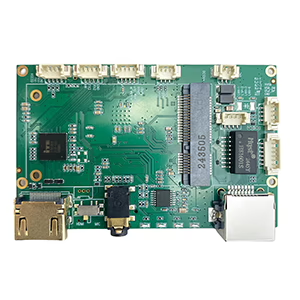
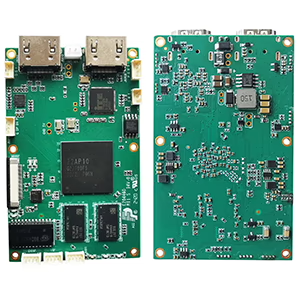
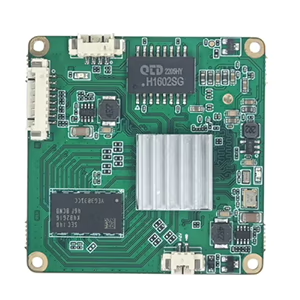
Dekodermodulskort
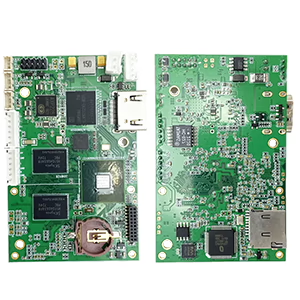

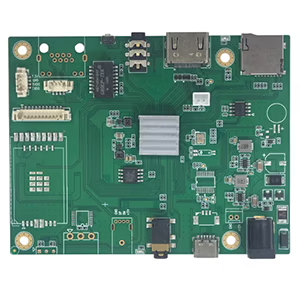
Tillgänglig för anpassning
I am in the process of finding a solution that will allow me to convert analog video signals from CVBS and AHD cameras, with a primary focus on AHD, into an IP-based format for network transmission and digital recording. Are you able to provide similar support as well?
Inmatning
- The video quality options include AHD 720p and AHD 1080p at 30 frames per second.
- CVBS (NTSC)
Produktion
The IP camera supports RTSP streaming with both MJPEG and H264 compression capabilities.
Svar:
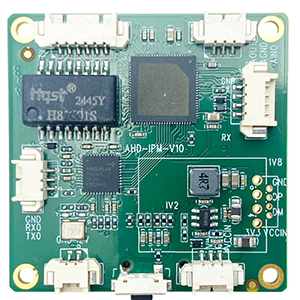
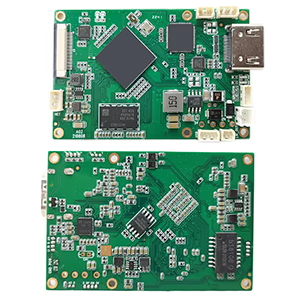
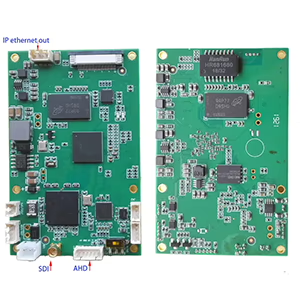
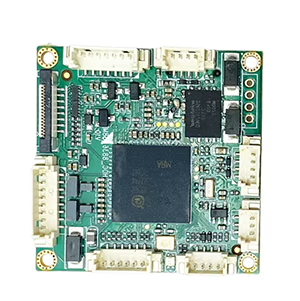
Thanks for your inquiry about AHD to IP converter. We have two types products meets your demand. The difference is on the latency.
Modell 2090
Modell 1731 (lower latency and support two video stream, CVBS + AHD)
In some cases, drones and robots require extremely low latency, while other applications are unaffected by 100ms delays.
A video encoder that converts CVBS (Kompositvideobasbandssignal) and AHD (Analog High Definition) to IP (Internet Protocol) is a device designed to bridge analog and digital video systems by transforming analog signals into network-transmissible digital streams. Here’s a structured breakdown:
Key Components & Functionality
- Input Handling:
- CVBS: Supports standard-definition analog signals (TILL EXEMPEL., 480i/576i) via RCA or BNC connectors.
- AHD: Processes high-definition analog signals (TILL EXEMPEL., 720sid, 1080sid) over coaxial cables, preserving HD quality during conversion.
- Conversion Process:
- Digitization: Uses an Analog-to-Digital Converter (ADC) to transform analog signals into digital data.
- Compression: Applies codecs like H.264/H.265 to reduce file size while maintaining quality, optimizing bandwidth usage.
- Packaging: Encapsulates data into IP-friendly formats (TILL EXEMPEL., RTSP, RTP) for network transmission.
- Produktion:
- Transmits via Ethernet, enabling integration into IP networks. May support Power over Ethernet (PoE) for simplified power and data delivery.
Ansökningar
- Legacy System Modernization: Integrates older analog CCTV cameras (CVBS/AHD) into IP-based surveillance systems without replacing existing infrastructure.
- Hybrid Surveillance: Allows simultaneous use of analog and IP cameras, ideal for phased upgrades.
- Remote Access: Facilitates cloud storage, live streaming, and remote monitoring via networked devices.
Funktioner
- Multi-Channel Support: Some encoders handle multiple inputs (TILL EXEMPEL., 4-channel models) for scalability.
- Configuration Flexibility: Web-based interfaces for adjusting resolution, bithastighet, and frame rate.
- Kompatibilitet: Often supports ONVIF standards to ensure interoperability with Network Video Recorders (NVR:er) and software.
Överväganden
- Latens: Encoding may introduce slight delays, critical for real-time applications.
- Bandwidth Management: Adjustable compression settings balance video quality and network load.
- Hardware Requirements: Ensure network infrastructure (TILL EXEMPEL., switches, routrar) can handle increased IP traffic.
Example Use Case
A security system with existing AHD cameras (1080sid) and CVBS cameras can use an encoder to stream footage over a network. The encoder digitizes and compresses the signals, allowing integration with an NVR for centralized management and access via smartphones or PCs.
About MJPEG
MJPEG (Rörelse JPEG) is a video compression format where each individual frame is compressed as a standalone JPEG image. Unlike modern codecs (TILL EXEMPEL., H.264, MPEG), it does not useinter-frame compression (temporal compression), resulting in unique advantages and limitations.
Nyckelfunktioner
- Frame Independence: Each frame is a complete JPEG image, making it:
- Simple to process (low computational overhead).
- Låg latens (ideal for real-time applications like surveillance or medical imaging).
- Easy to edit (individual frames can be extracted without decoding adjacent frames).
- Kompatibilitet: Widely supported due to JPEG’s ubiquity. Works with most devices, browsers, and software.
- Quality: Maintains consistent per-frame quality, useful for applications requiring frame accuracy (TILL EXEMPEL., video editing, frame-by-frame analysis).
Fördelar
- Låg latens: Suitable for live previews or real-time systems.
- Hardware-friendly: Easy to encode/decode with minimal processing power.
- Frame accuracy: No motion blur artifacts from inter-frame compression.
Disadvantages
- Large File Sizes: No temporal compression means higher storage/bandwidth requirements.
- Inefficient for Long Videos: Less optimal than modern codecs (TILL EXEMPEL., H.265) for streaming or archival.
- Limited Features: No support for modern features like dynamic bitrate adjustment or HDR.
Common Use Cases
- Övervakningssystem: Low latency and frame accuracy for real-time monitoring.
- Medical Imaging: Frame independence ensures no data loss between critical frames.
- Legacy Devices/Cameras: Digital cameras, webcams, or drones where simplicity is key.
- Video Editing: Frame-level access simplifies post-production workflows.
Technical Notes
- Color Subsampling: Typically uses JPEG’s 4:2:0 chroma subsampling.
- Variants: MJPEG2000 (uses wavelet compression) offers better quality but lacks broad compatibility.
- Container Formats: Often wrapped in AVI, MOV, or multimedia transport streams.
Comparison to Modern Codecs
| Funktion | MJPEG | MPEG/H.264/H.265 |
|---|---|---|
| Compression Efficiency | Låg (intra-frame only) | Hög (inter-frame + intra) |
| Latens | Very low | Moderate to high |
| Editing Flexibility | Hög (frame independence) | Lägre (GOP dependencies) |
| Bandwidth Use | Hög | Optimized |
When to Use MJPEG?
- Prioritizelåg latens over file size.
- Requireframe-by-frame access for editing/analysis.
- Work with legacy systems or hardware with limited processing power.
For streaming or storage efficiency, modern codecs (TILL EXEMPEL., H.265, VP9) are typically better choices.
Ställa en fråga
Tack för din respons. ✨